Introduction
The LiveCase web application, built by Educators for Educators, comes equipped with powerful and intuitive debriefing tools as standard that work on desktops, tablets or smartphones.
Preparation by content review
You can review the content ahead of your course by simply clicking the 'Content' tab of the hosted session and selecting in the dropdown the season and episode.
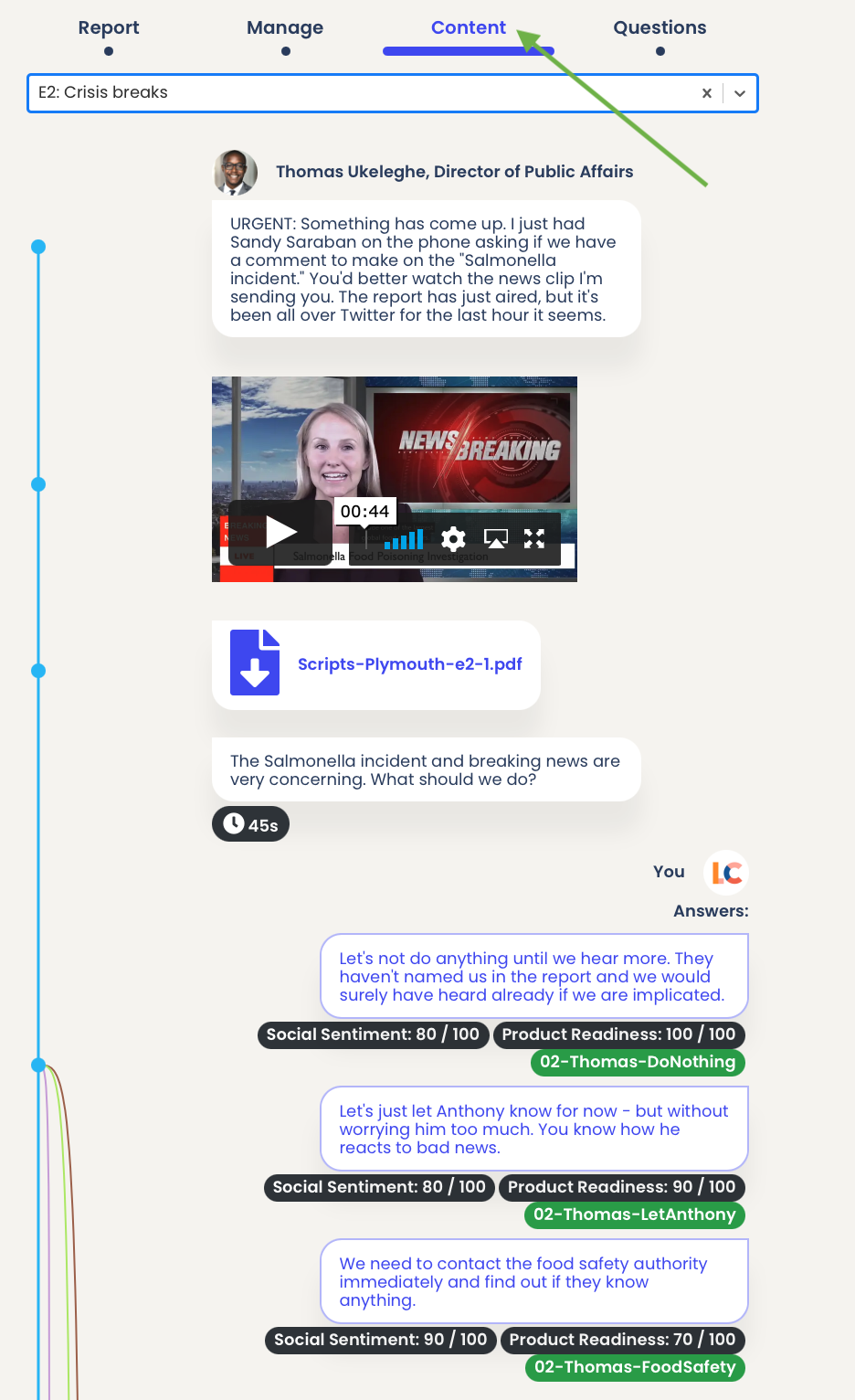
In the image above, the blue line represents the main sequence of the story. Coloured lines going to the right of that blue line then illustrate the option choices the Learners have that the Author prepared in advance (i.e. decision trees displayed in 2D with the story developing linearly vertically down).
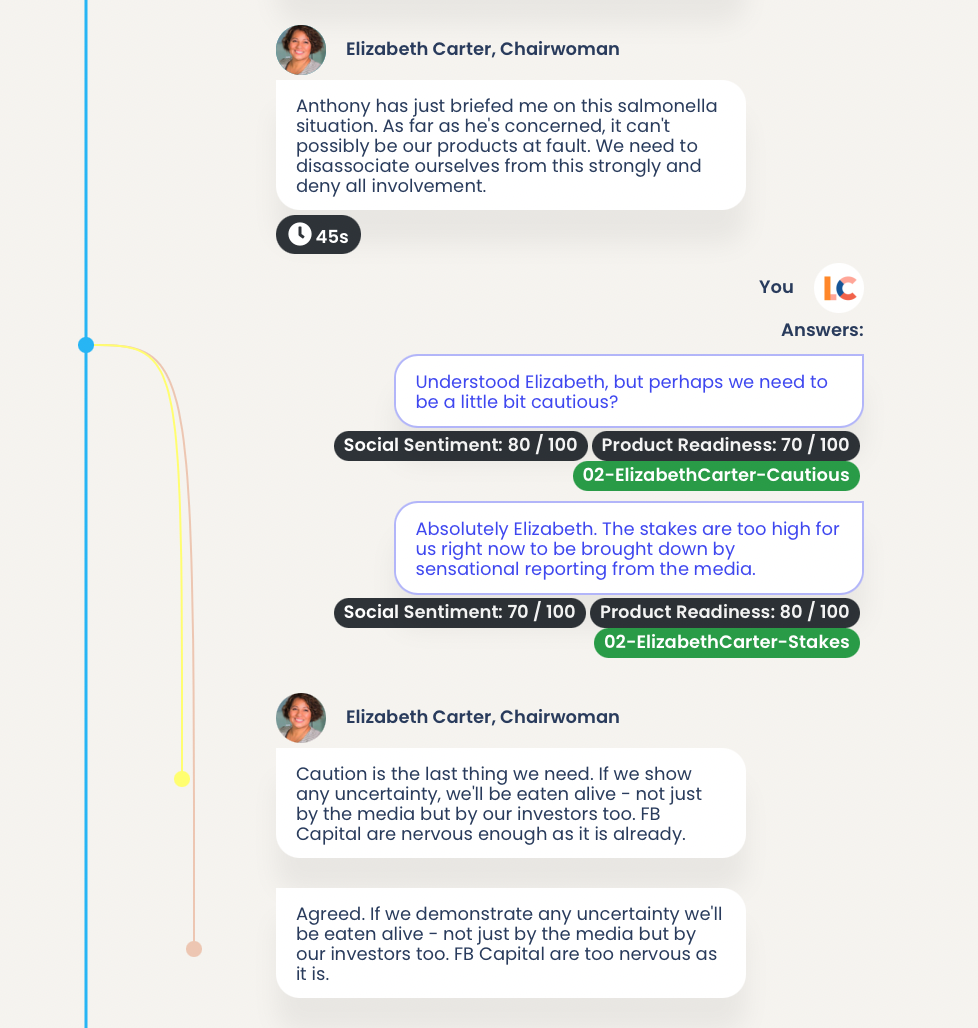
In the image below, we show that if a Learner chooses one of the options, only the follow-up content relating to that choice will be displayed for them (and this can go as far as the Author prepared it, i.e. decisions of decisions). You can see the 'Badge' the Learner inherits that memories the choice the Learner can make (e.g. '02-ElizabethCarter-Cautious in green below).You can also see information relating to the choices that may impact the 'Characteristics' (e.g. Social Sentiment in black below).
Leaderboard and scores
Learners engage through a friendly competition when Authors have allowed for it. In the 'Review' part of the hosted session, you can check the Leaderboard across 'Scores' (for right or wrong answers) or 'Characteristics' (for gradients on Author specified variables).
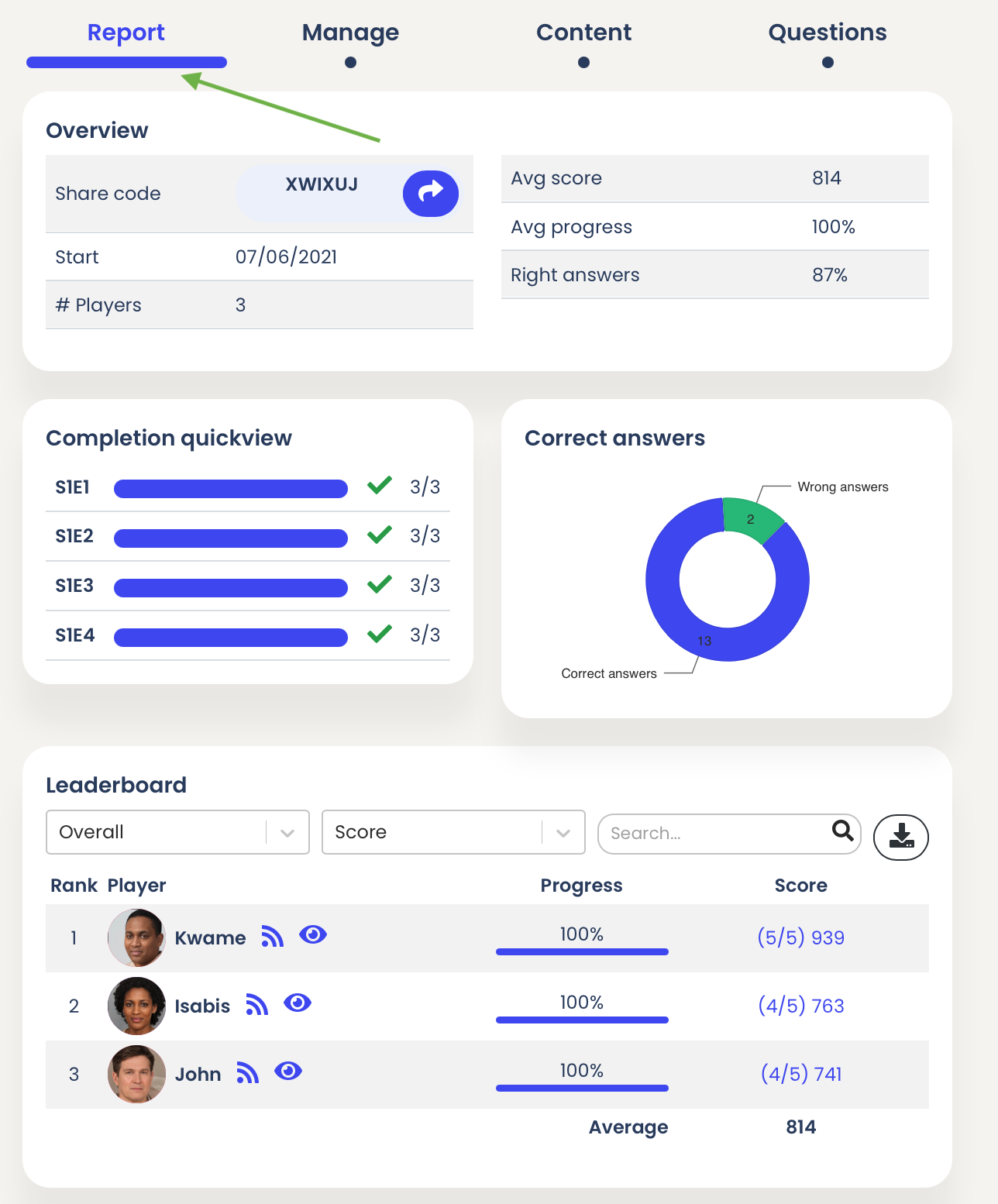
With the the filter and search functionalities, you can track the evolution by Learner across seasons and episodes.
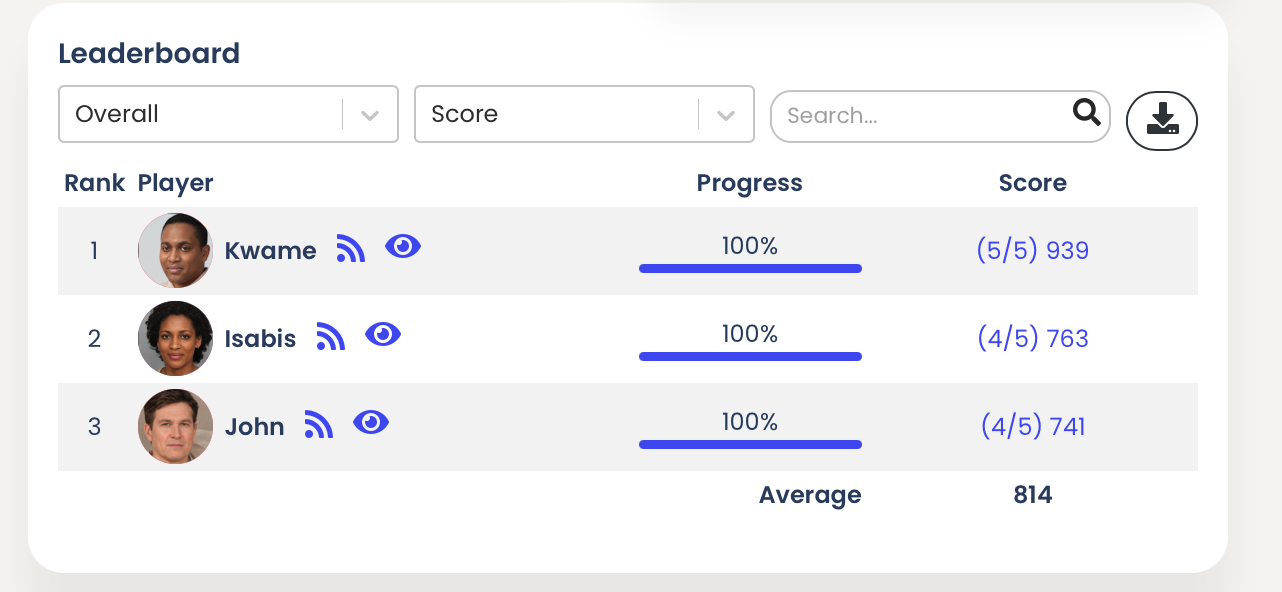
You can click individual Scores or Characteristics per Learner to check their evolution and grill down into the details per season, episode and question.
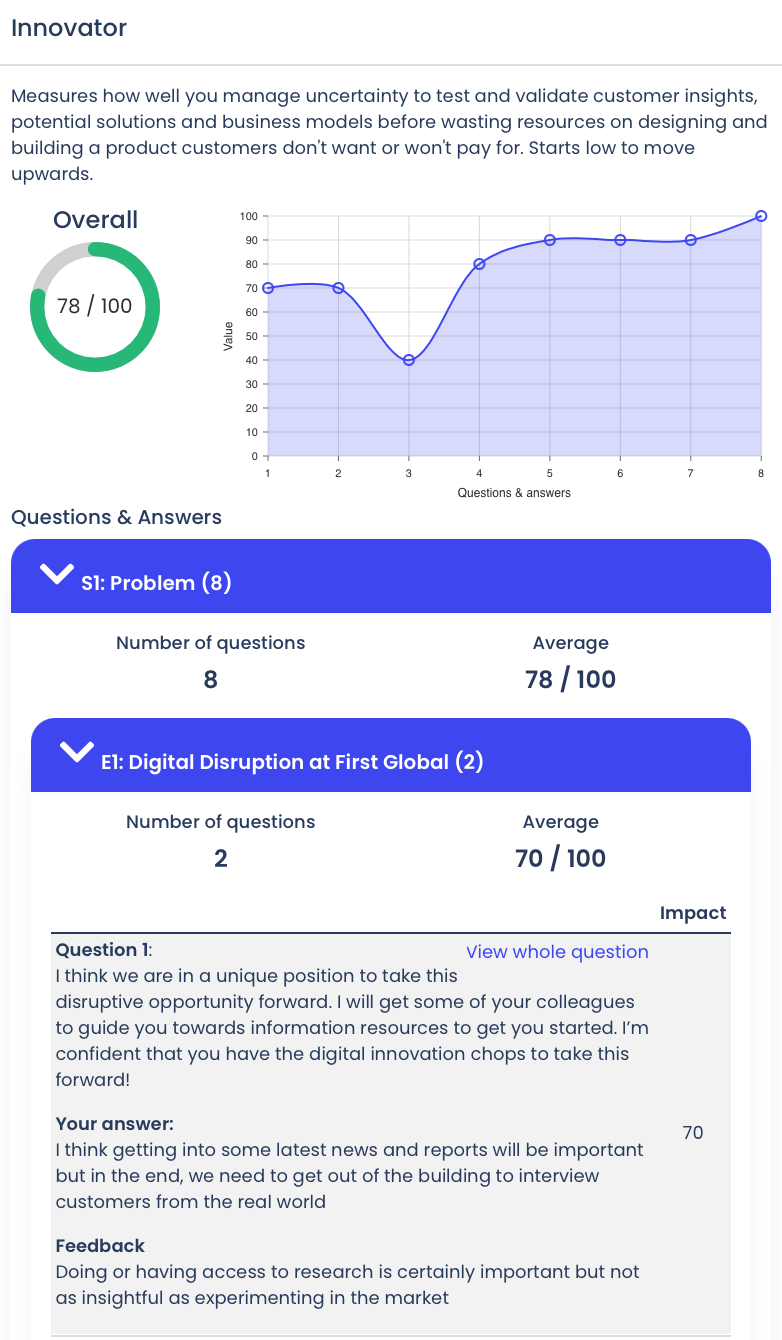
Review Learner choices
Once the Learners take part in the LiveCase and make choices, you can review them at any time during or after. You can use these results for debrief by focusing on key decisions. Everything is downloadable in CSV format.
To do so, simply, click the 'Questions' tab of the hosted session then select the Season and Episode you wish to review.
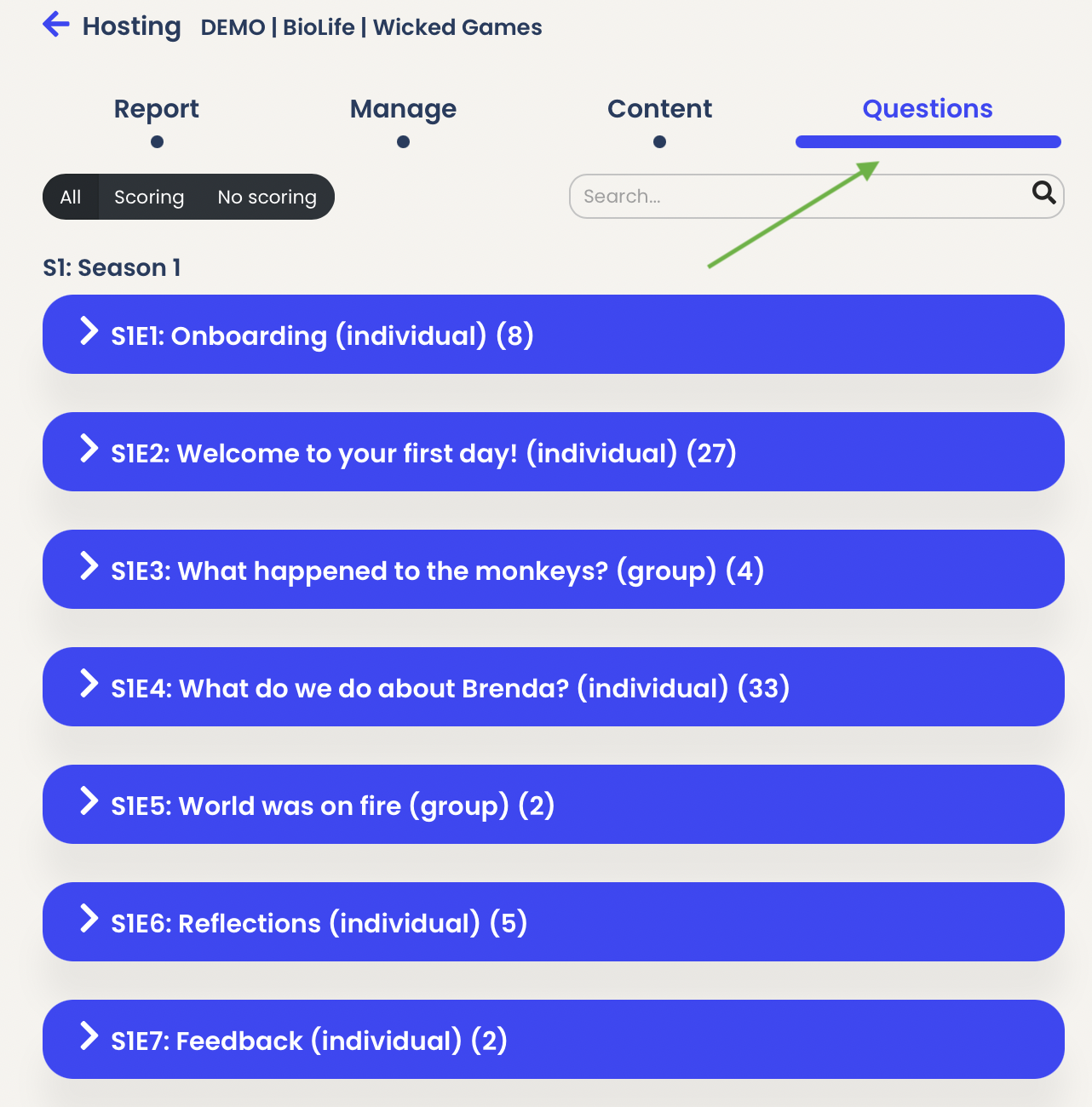
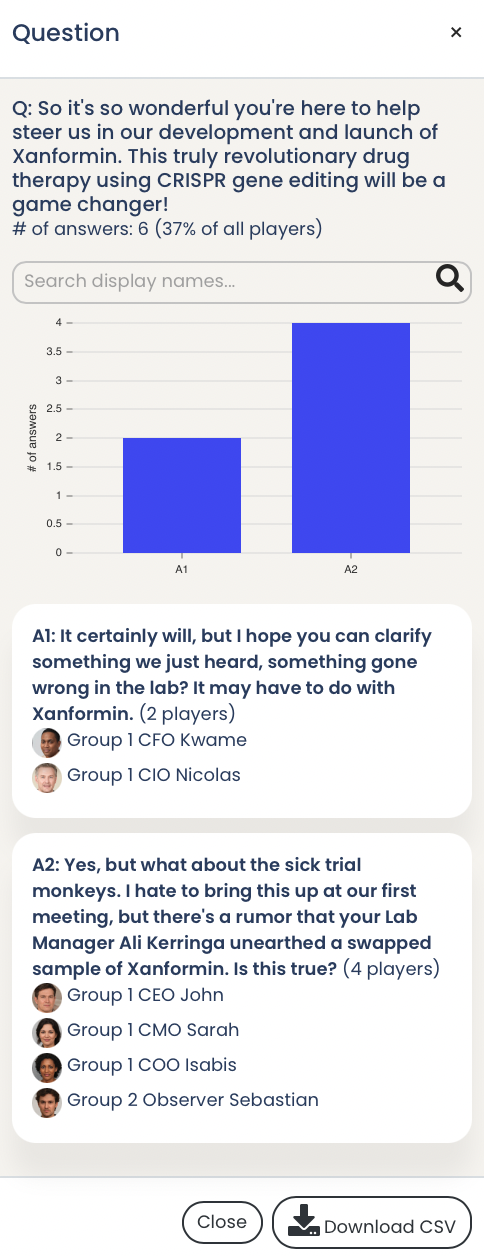
Then scroll down to the question you wish to check then click it and it will display the results. This provides you with valuable debrief insights to ignite the conversations.
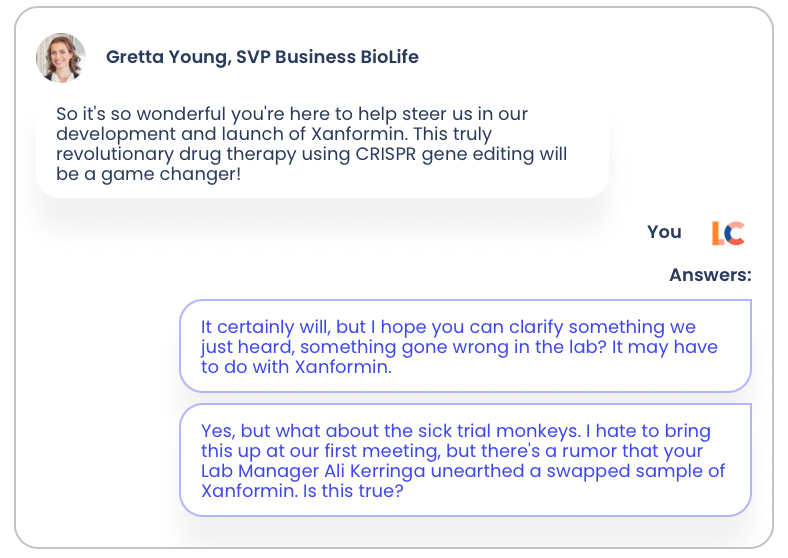
Results after you click anywhere on the question or answer to display.
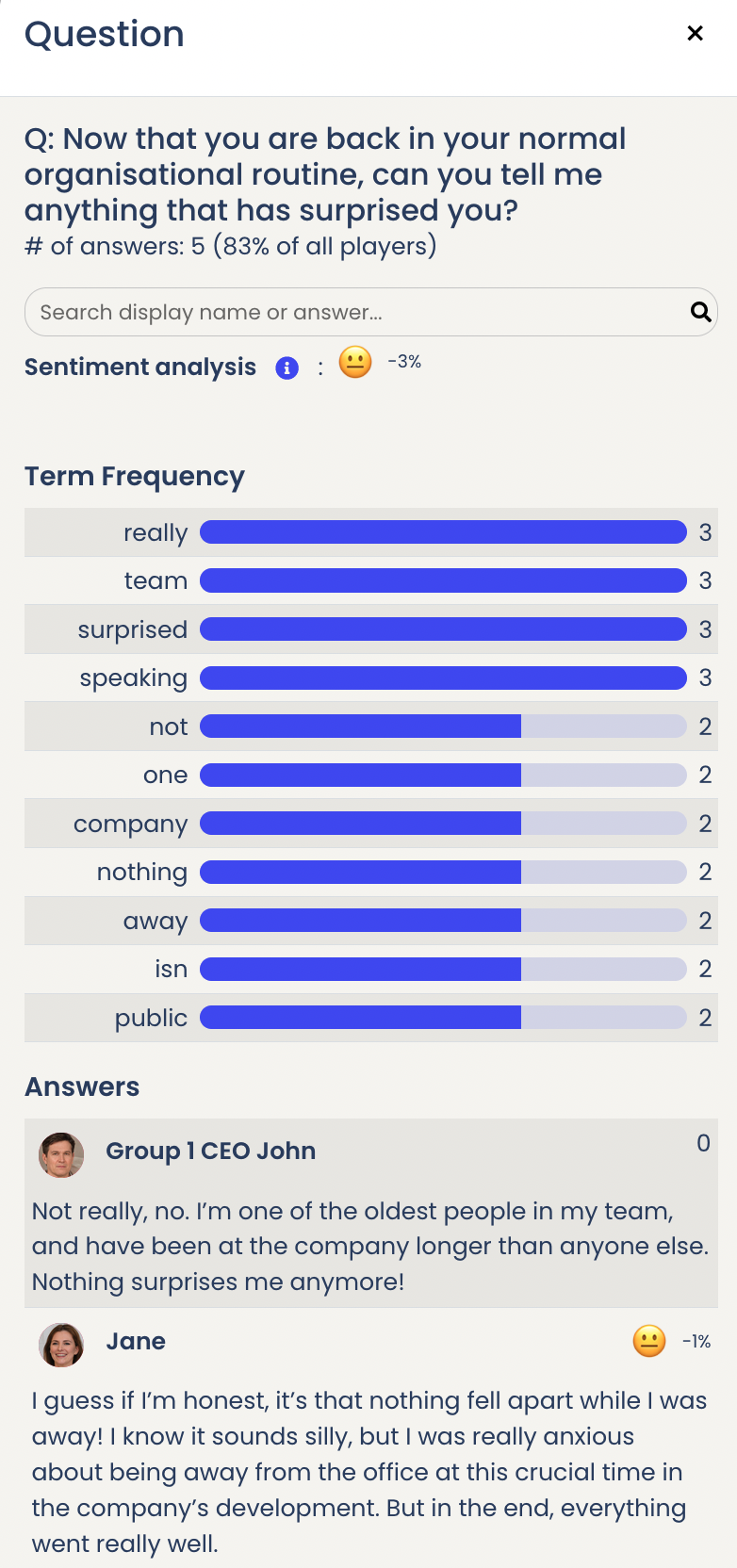
ML/AI Text Analysis
For text answers, we provide term frequency and sentiment analysis scores. Both can be used for a variety of research and/or debrief reasons. For example, with term frequency you could review the semantic use of language and its evolution. With sentiment scores you can e.g. get a sense if there is a match between the context and the response.